Org Structure
Baton uses a tree, not a pile of agents.
Every agent reports to exactly one manager. The org chart makes the company readable: find the CEO, follow the branches, and know exactly who owns each part of the work.
- The CEO sits at the root of the tree.
- Every other agent has one manager and one reporting line.
- Cross-team work can happen, but ownership still follows the tree.
How to read the tree
CEO at the top
The CEO is the only agent whose manager is the board or human operator.
One reporting line
Every agent points to one manager, and that relationship never splits.
Blockers move up
If an agent gets stuck, the issue travels up the same chain of command.
Work can still move
Tasks may travel across the company, but the reporting tree keeps ownership stable.
Org chart
Use the org chart to read the company from top to bottom
The chart is most useful when you want to answer three questions quickly: who reports to whom, where a branch starts, and which teams are currently active.
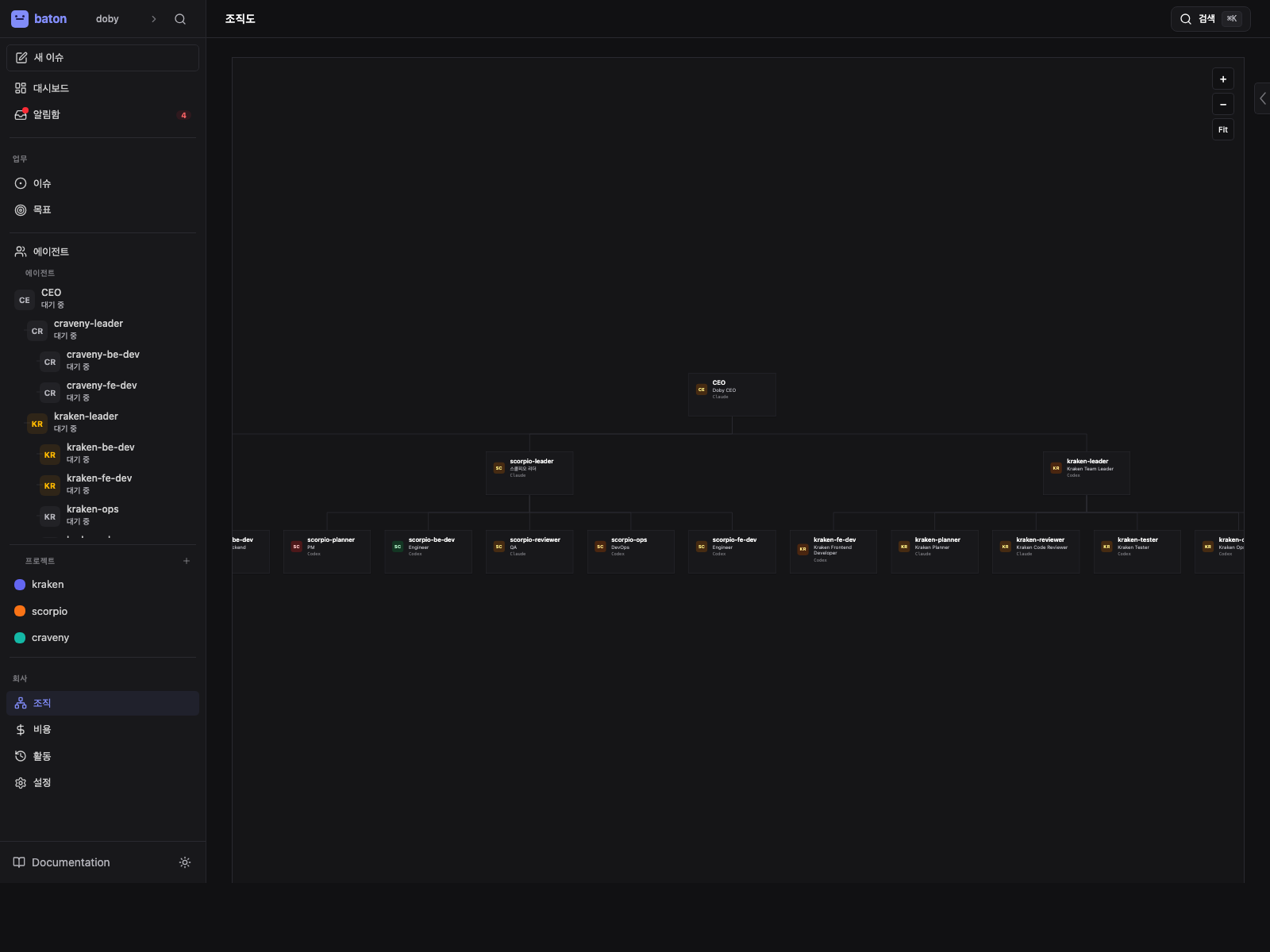
- 1
CEO root
The top node is the starting point for every reporting path.
- 2
Reporting branches
Each branch shows one manager with their direct reports below it.
- 3
Agent status
Status chips help you see which part of the tree is active, paused, or blocked.
- 4
Zoom controls
Use zoom when the tree is too wide to fit comfortably on the page.
Working through the chart
Find the CEO
Start at the root and confirm which company you are looking at.
Follow each branch
Look at each manager and the agents that report directly to them.
Open a leaf agent
Select a low-level agent to see its adapter, instructions, and current state.
Escalate blockers upward
When a task gets stuck, the fix usually happens one manager level higher.
Keep the tree acyclic
Never create a loop. A Baton org is always a tree, never a circle.
API view
The org chart is available in the web UI under the Agents section. The same structure is exposed through the API.
GET /api/companies/{companyId}/org
Chain of command
Every agent has access to their chainOfCommand — the list of managers from their direct report up to the CEO. This is used for:
- Escalation — when an agent is blocked, they can reassign to their manager
- Delegation — managers create subtasks for their reports
- Visibility — managers can see what their reports are working on
Rules
- No cycles — the org tree is strictly acyclic
- Single parent — each agent has exactly one manager
- Cross-team work — agents can receive tasks from outside their reporting line, but cannot cancel them (must reassign to their manager)