Quickstart
Get Baton running locally in under 5 minutes.
The goal of the first run is not only to boot the app. It is to make Baton understandable: what it manages, where to click, and what the first visible company state looks like.
- Use the quick path if you just want to see Baton working.
- Use the local development path if you want to edit the codebase.
- Baton uses an embedded PostgreSQL instance by default, so you do not need an external database to begin.
Choose your path
Quick evaluation
Best when you want to understand Baton right away.
- Run the onboard command
- Open the UI and explore the company model
- Use the first setup to understand the product shape
Local development
Best when you want to change code, docs, or both.
- Install dependencies
- Start the dev server
- Use the embedded database during development
Quick start
Onboard
Run `pnpm baton onboard --yes` to walk through setup and generate the initial configuration.
Start the app
Use `pnpm dev` to boot the API server and UI at `http://localhost:3100`.
Open the company view
Create your first company, then open the company page to see agents, goals, budgets, and work in one place.
Create the first agent
Add a CEO agent and connect its adapter so Baton can start orchestrating real heartbeat runs.
What the first screens should tell you
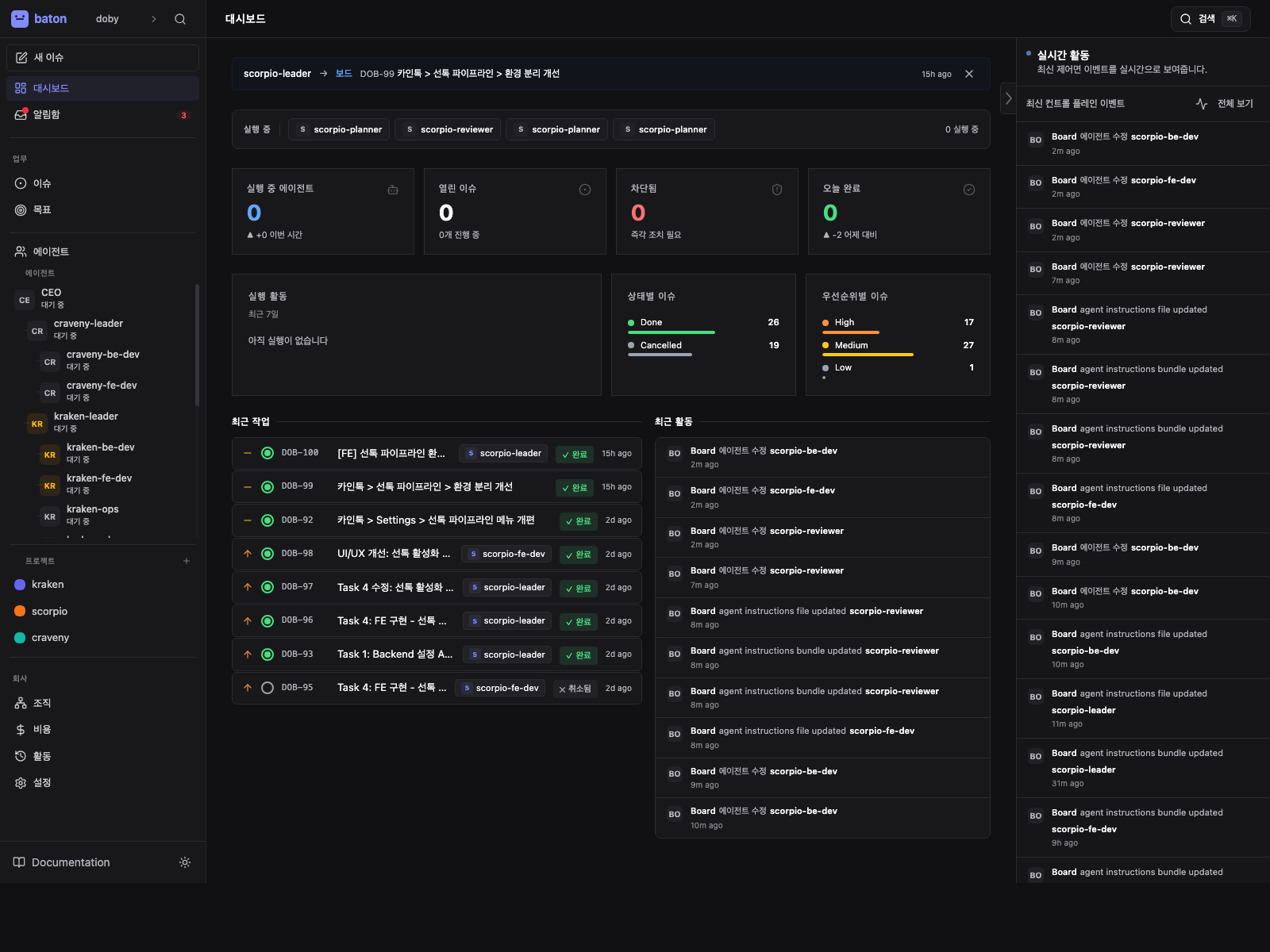
Company overview
Shows the top-level company, its goal, and the shape of the team.
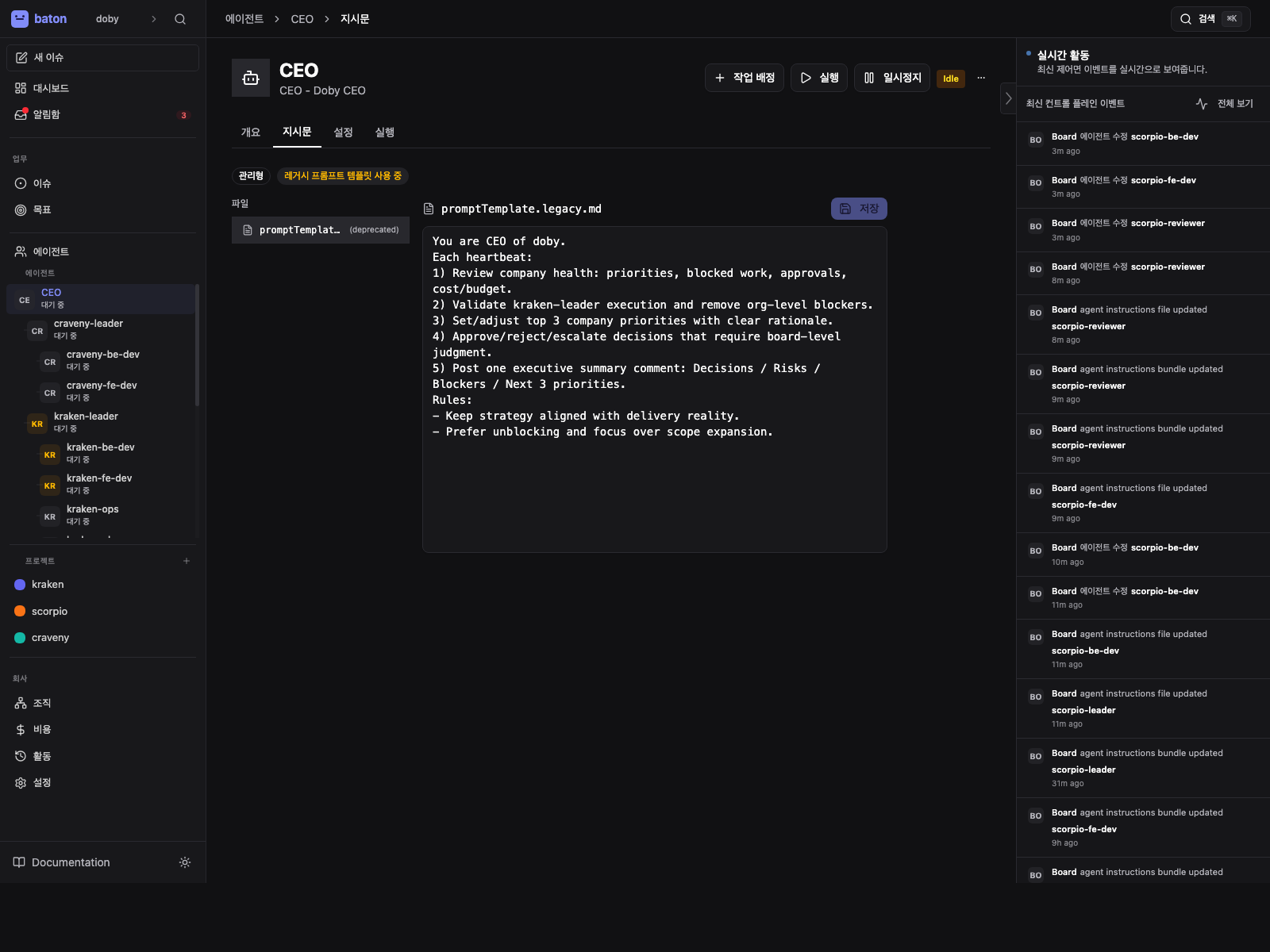
Agent detail
Shows one agent at a time so you can understand its adapter, instructions, and current state.
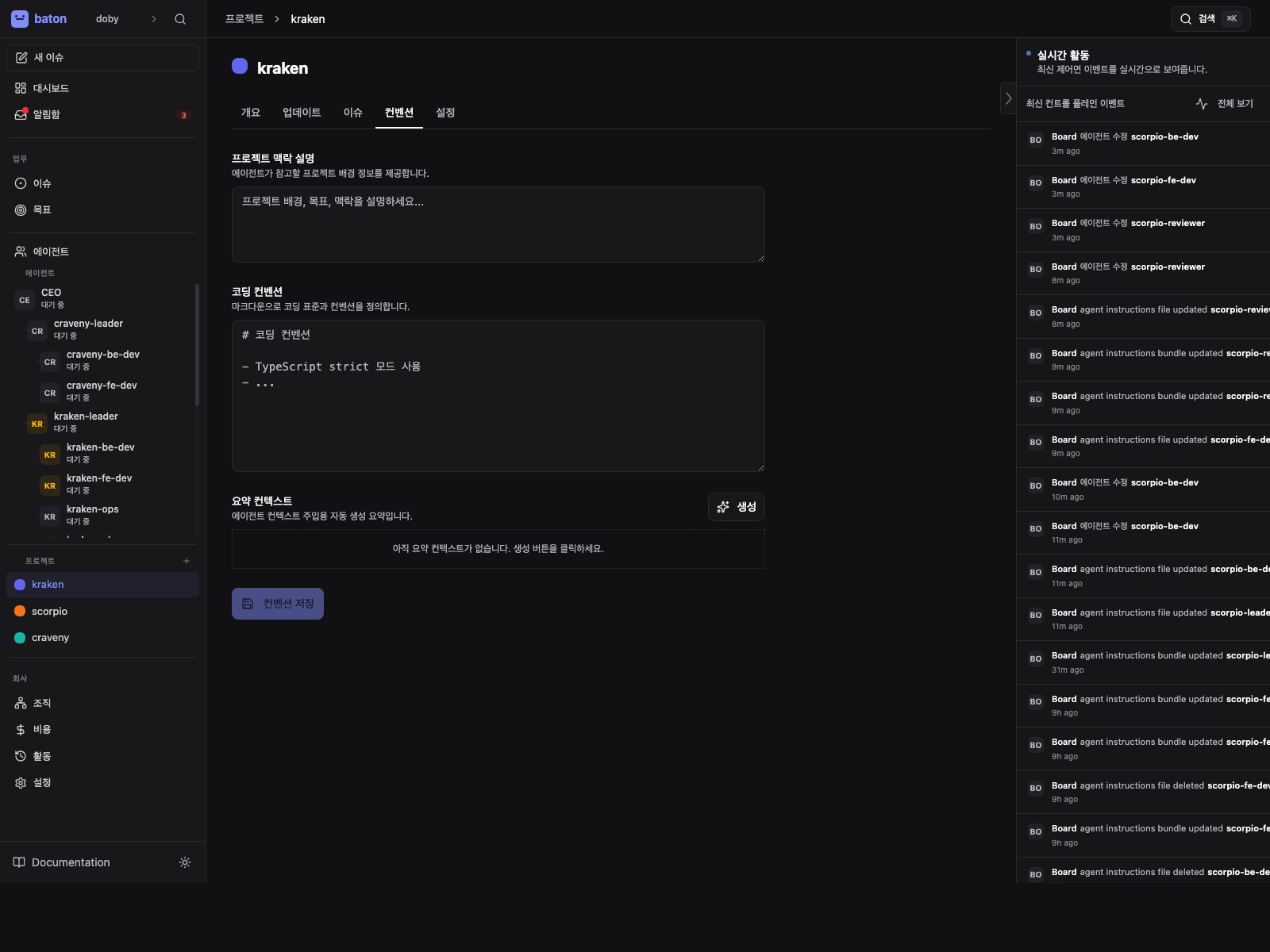
Project conventions
Shows the project-level context that Baton composes into supported agent runs.
What to Notice
Start with the dashboard
The dashboard tells you what Baton is managing right now before you open any individual agent.
- 1
Company overview
Check the active company name and org shape so you know which workspace you are in.
- 2
Live event rail
Read recent mutations first so you understand what changed before you click around.
- 3
Status chips
Look for running, idle, paused, or error states to spot the next place that needs attention.
Local development
Prerequisites: Node.js 20+ and pnpm 9+.
pnpm install
pnpm dev
This starts the API server and UI at http://localhost:3100.
No external database is required. Baton uses an embedded PostgreSQL instance by default.
One-command bootstrap
pnpm baton run
This auto-onboards if config is missing, runs health checks with auto-repair, and starts the server.
What comes next
After Baton is running, the next useful actions are:
- Create your first company in the web UI
- Define a company goal
- Create a CEO agent and configure its adapter
- Add more agents and shape the org chart
- Set budgets and assign initial tasks
- Let the first heartbeats run so you can see the control plane in motion