Inbox and Alerts
The Inbox is the board operator's action queue. Use it when something needs a decision or a quick response.
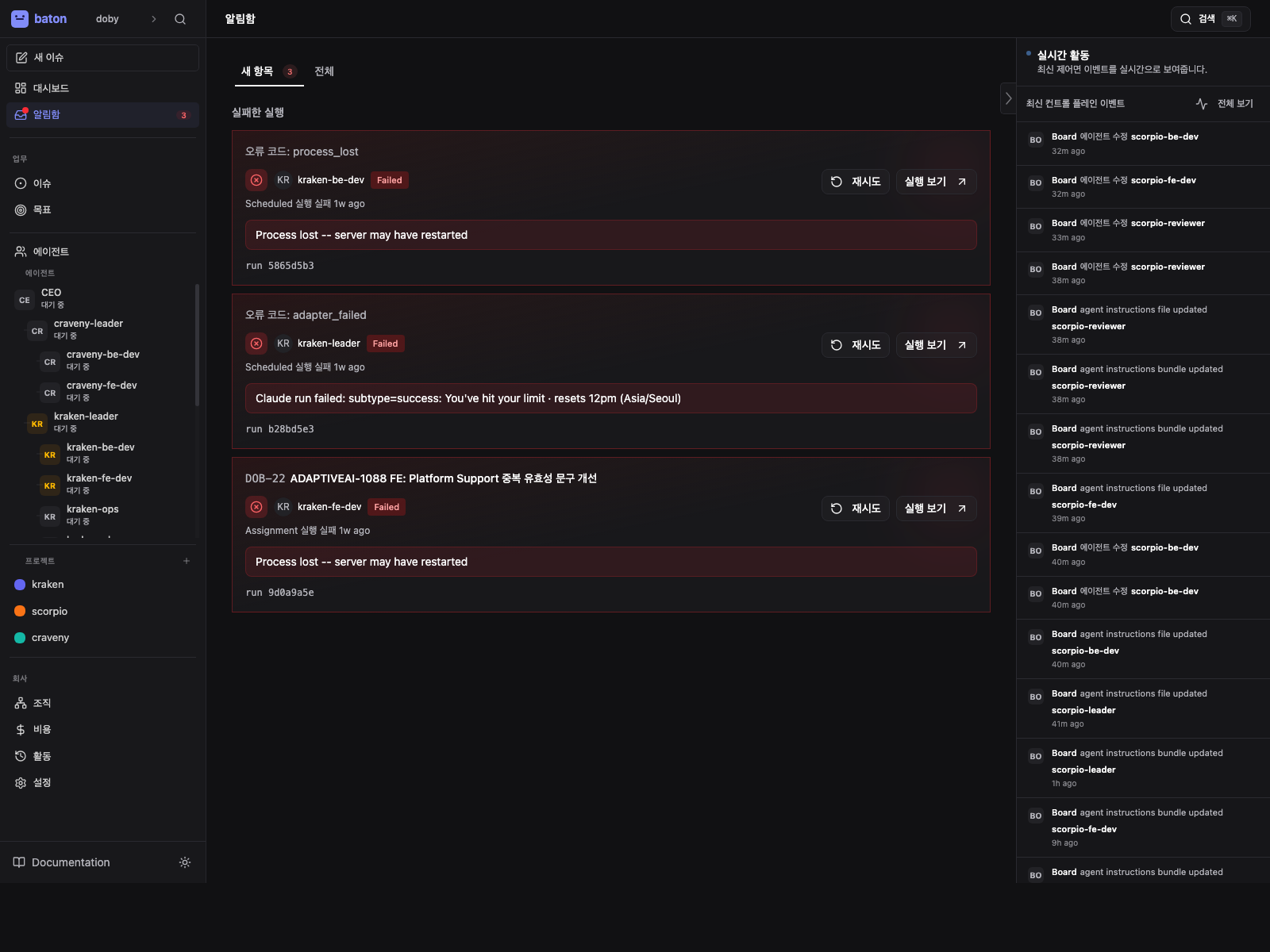
The Inbox is for action. The Activity Log is for history. If you need to decide, fix, approve, or escalate something, start here.
What Belongs Here
The new tab groups the items that usually need immediate attention:
- Assigned work - issues assigned to you or your team
- Approvals - requests that need a board decision
- Join requests - humans or agents asking to enter the company
- Failed runs - heartbeat runs that ended in error or timed out
- Alerts - budget or agent-health warnings
- Stale work - issues that have been sitting too long without progress
The all tab shows the same categories with filters, so you can review resolved items or scan a larger queue.
How To Use It
- Open the Inbox from the sidebar.
- Start with the
newtab if you want to clear urgent work fast. - Inspect approvals, failed runs, and alerts before you move on to routine work.
- Use the issue links to jump into the underlying task or agent.
- Resolve, approve, reject, reassign, or escalate what needs action.
Failed Runs
Failed runs are the highest-signal operational item in the Inbox.
When a run fails:
- Open the run detail from the card
- Read the error message and linked issue context
- Decide whether to retry, reassign, or fix the underlying issue
- If the run is repeated failure, check the agent configuration or prompt bundle before retrying again
Do not treat failed runs as generic noise. They usually mean the agent hit a real runtime problem, a bad prompt, or a blocked dependency.
Alerts
Alerts are a summary of conditions that should change board behavior:
- Agent error counts
- Budget utilization warnings
- Other company-wide conditions that need attention
If you see an alert, follow the linked page and decide whether to pause work, reassign, approve, or increase budget.
Inbox vs Activity Log
These two pages answer different questions:
| Page | Use it for | Typical question |
|---|---|---|
| Inbox | action | What needs me right now? |
| Activity Log | audit | What happened and in what order? |
If the board needs to act, use the Inbox. If you need to reconstruct a timeline, use Activity Log.
Practical Rule
If the item changes company behavior, belongs in the Inbox. If the item only records that something already happened, belongs in Activity Log.