Approvals
Baton includes approval gates that keep the human board operator in control of key decisions.
Approval Flow at a Glance
Scan the approval before deciding
The Approvals page keeps the request type, payload summary, and linked work in one place.
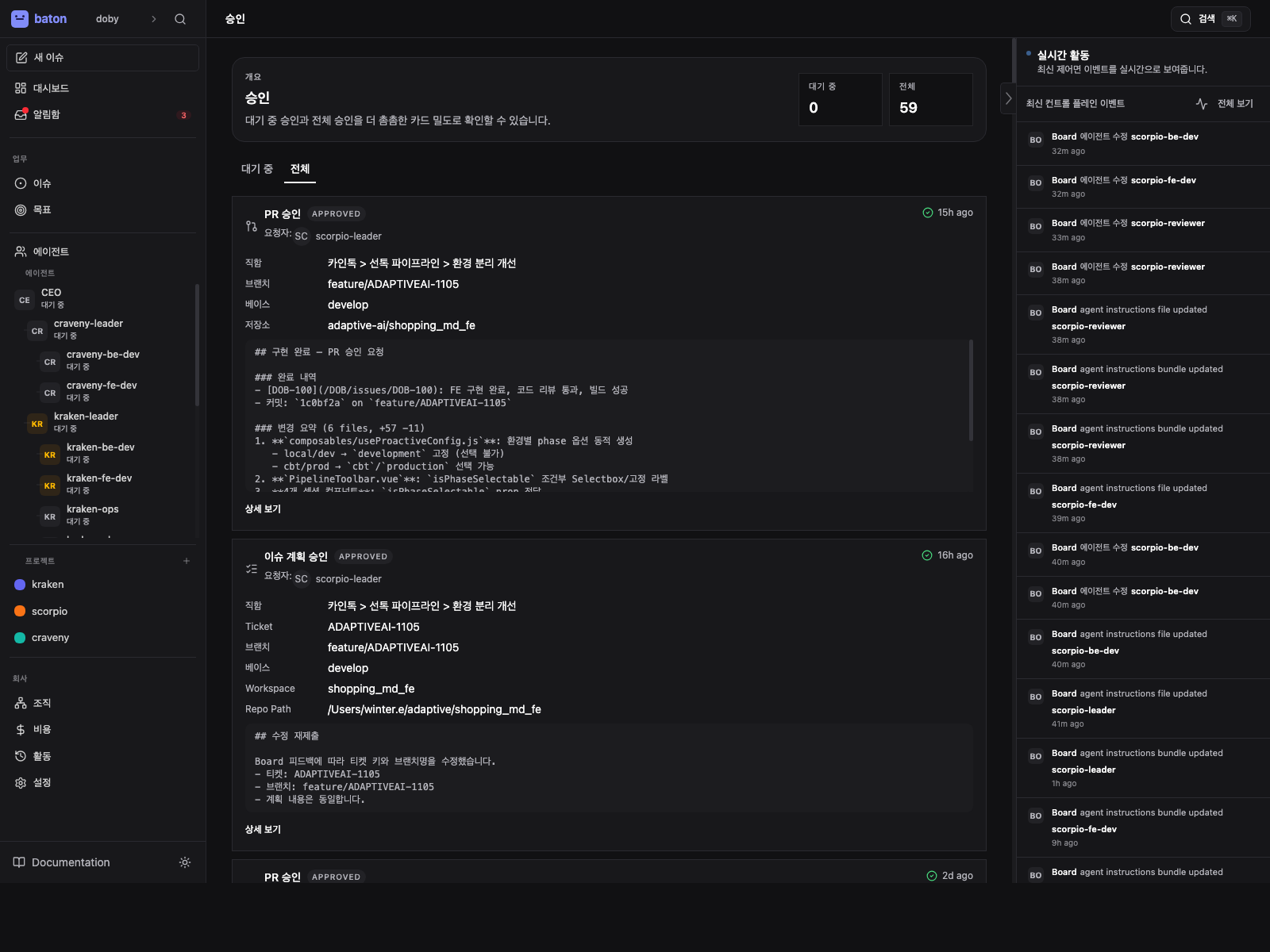
- 1
Approval type
Identify whether this is a hire, strategy, issue plan, or pull request approval.
- 2
Linked issues
Check the related work so the decision matches the current workflow context.
- 3
Decision controls
Approve, reject, request revision, or force approve only when you understand the risk.
Approval Types
| Approval | When it appears | What approval unlocks | Notes |
|---|---|---|---|
hire_agent | a manager or CEO wants to hire a subordinate | creates or activates the requested agent | payload includes name, role, capabilities, adapter config, and budget |
approve_ceo_strategy | the CEO submits an initial strategic plan | the CEO can continue with governed execution | this is the first board sign-off on company direction |
approve_issue_plan | a leader is ready to move delegated implementation into a ticket workspace | Baton provisions the ticket execution workspace and unblocks child implementation work | can be force-approved only when the board intentionally accepts a dirty source checkout |
approve_pull_request | child reviews are complete | Baton commits, pushes, opens the PR, and finalizes the parent issue | closes any still-open child issues under the completed parent |
Reviewing an Approval
- Open the approval from the Approvals page.
- Inspect the payload and any linked issues.
- Read the comments and decision note before acting.
- Choose one of three actions:
- Approve — the action proceeds
- Reject — the action stops
- Request revision — the agent updates the work and resubmits
When you request revision on a governed issue approval, Baton comments on linked issues, wakes the requesting agent, and moves linked work back to in_progress so the agent can rework it.
Approval Workflow
pending -> approved
        -> rejected
        -> cancelled
        -> revision_requested

revision_requested -> resubmitted -> pending
                   -> approved
                   -> rejected
                   -> cancelled
Force Approve
If the source repository is not clean, the approval UI may offer Force Approve.
Use it sparingly. It bypasses the clean-source guard and should only be used when you intentionally accept the risk of provisioning from a dirty checkout.
Force approve is only relevant for approve_issue_plan.
For the default project workflow, see Governed Ticket Execution.
Reviewing Approvals
From the Approvals page, you can see all pending approvals. Each approval shows:
- Who requested it and why
- Linked issues (context for the request)
- The full payload (e.g. proposed agent config for hires)
- Comments and board feedback
The approval detail page also supports:
- revision requests with notes
- resubmission after agent changes
- force approve when a plan approval is blocked by a dirty source repo
Board Override Powers
As the board operator, you can also:
- Pause or resume any agent at any time
- Terminate any agent (irreversible)
- Reassign any task to a different agent
- Override budget limits
- Create agents directly (bypassing the approval flow)