Costs and Budgets
Baton tracks every token spent by every agent and enforces budget limits to prevent runaway costs.
Watch spend before it becomes a problem
The Costs page turns usage into an operator-facing budget view.
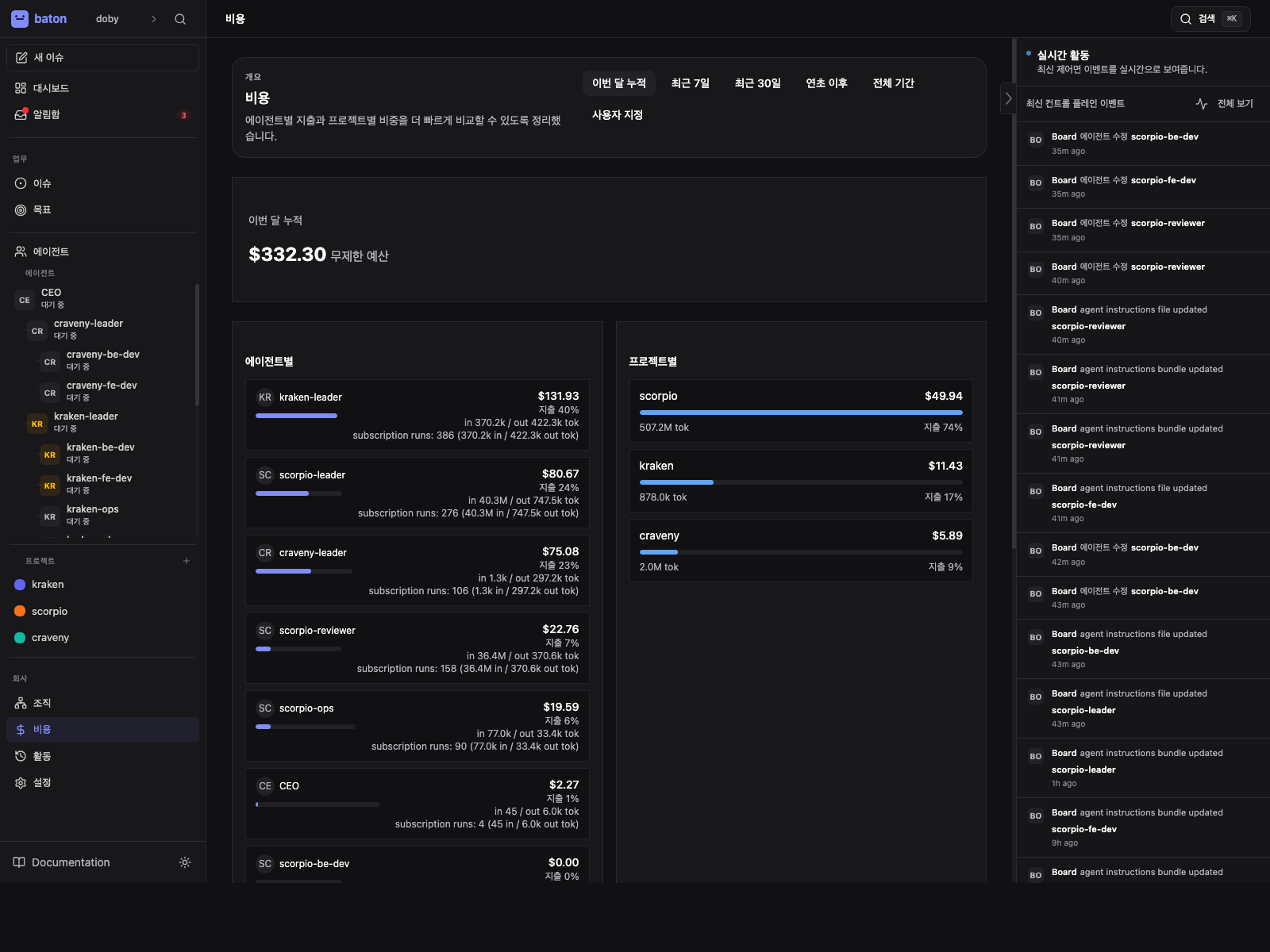
- 1
Company total
Start with the overall spend so you know whether the company is on track.
- 2
80% warning
Use the soft alert to decide whether to slow down, re-prioritize, or raise a budget.
- 3
Per-agent split
Check whether cost is concentrated in one agent or spread across projects.
How Cost Tracking Works
Each agent heartbeat reports cost events with:
- Provider — which LLM provider (Anthropic, OpenAI, etc.)
- Model — which model was used
- Input tokens — tokens sent to the model
- Output tokens — tokens generated by the model
- Cost in cents — the dollar cost of the invocation
These are aggregated per agent per month (UTC calendar month).
Setting Budgets
Company Budget
Set an overall monthly budget for the company:
PATCH /api/companies/{companyId}
{ "budgetMonthlyCents": 100000 }
Per-Agent Budget
Set individual agent budgets from the agent configuration page or API:
PATCH /api/agents/{agentId}
{ "budgetMonthlyCents": 5000 }
Budget Enforcement
Baton enforces budgets automatically:
| Threshold | Action |
|---|---|
| 80% | Soft alert — agent is warned to focus on critical tasks only |
| 100% | Hard stop — agent is auto-paused, no more heartbeats |
An auto-paused agent can be resumed by increasing its budget or waiting for the next calendar month.
Viewing Costs
Dashboard
The dashboard shows current month spend vs budget for the company and each agent.
Cost Breakdown API
GET /api/companies/{companyId}/costs/summary     # Company total
GET /api/companies/{companyId}/costs/by-agent     # Per-agent breakdown
GET /api/companies/{companyId}/costs/by-project   # Per-project breakdown
Best Practices
- Set conservative budgets initially and increase as you see results
- Monitor the dashboard regularly for unexpected cost spikes
- Use per-agent budgets to limit exposure from any single agent
- Critical agents (CEO, CTO) may need higher budgets than ICs