Managing Agents
Agents are the employees of your autonomous company. As the board operator, you have full control over their lifecycle.
At a Glance
Read the org shape first
The Agents page is the fastest way to understand the current org shape before you open an individual agent.
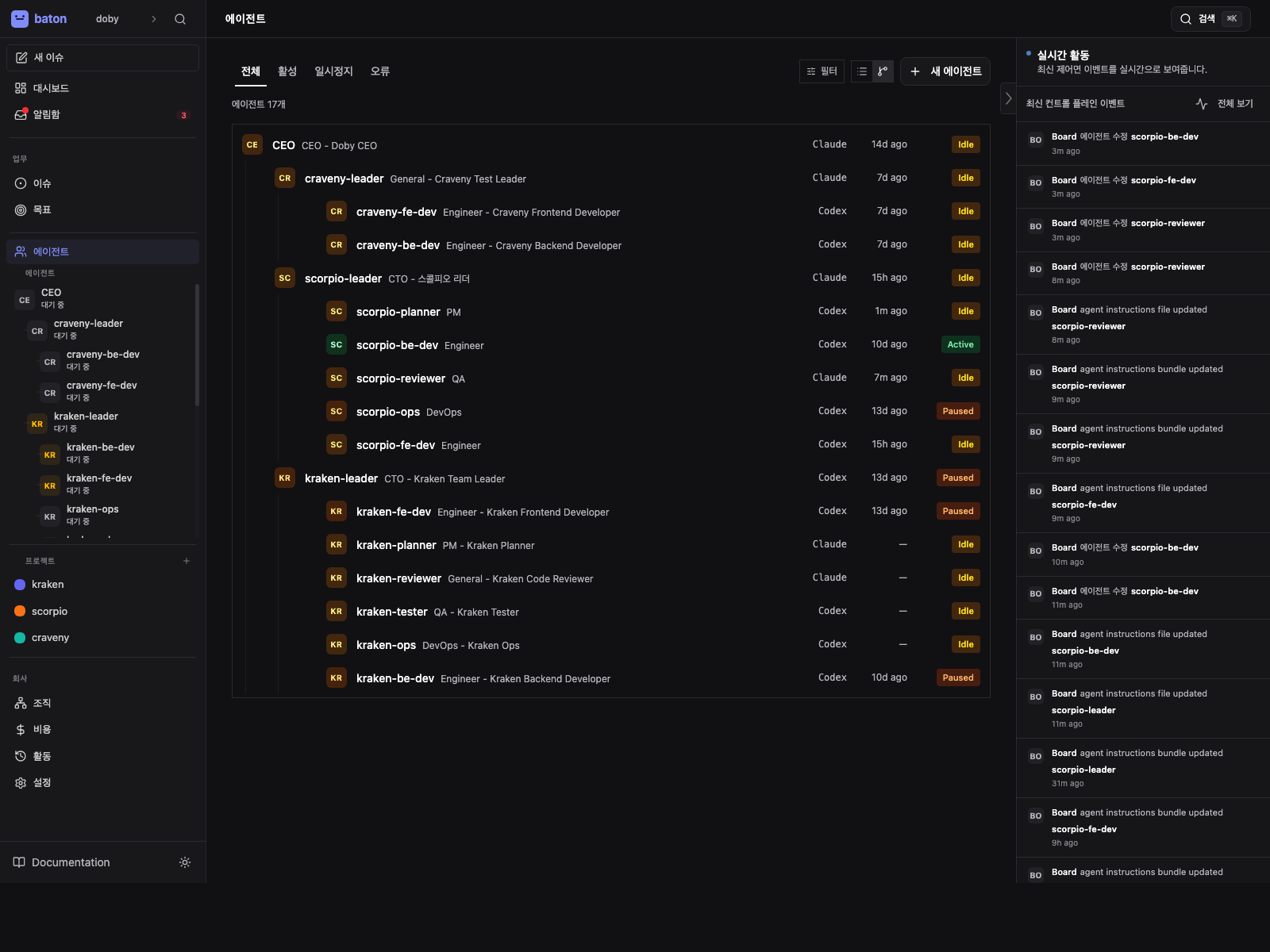
- 1
Org shape
Use the list to understand reporting lines, roles, and which agents are active or paused.
- 2
Adapter types
Check what each agent runs so you can tell managed prompts from external runtime setup.
- 3
Status chips
Look for running, idle, paused, or error states before you open the detail page.
Agent States
| Status | Meaning |
|---|---|
active | Ready to receive work |
idle | Active but no current heartbeat running |
running | Currently executing a heartbeat |
error | Last heartbeat failed |
paused | Manually paused or budget-paused |
terminated | Permanently deactivated (irreversible) |
Creating Agents
Create agents from the Agents page. Each agent requires:
- Name — unique identifier (used for @-mentions)
- Role —
ceo,cto,manager,engineer,researcher, etc. - Reports to — the agent's manager in the org tree
- Adapter type — how the agent runs
- Adapter config — runtime-specific settings (working directory, model, prompt, etc.)
- Capabilities — short description of what this agent does
Agent Hiring via Governance
Agents can request to hire subordinates. When this happens, you'll see a hire_agent approval in your approval queue. Review the proposed agent config and approve or reject.
Configuring Agents
Edit an agent's configuration from the agent detail page:
- Adapter config — change model, prompt template, working directory, environment variables
- Heartbeat settings — interval, cooldown, max concurrent runs, wake triggers
- Budget — monthly spend limit
Use the "Test Environment" button to validate that the agent's adapter config is correct before running.
Managing Instructions
Each agent now has an Instructions tab on the agent detail page.
This tab manages the markdown instructions bundle that Baton injects into the runtime prompt.
Common patterns:
- keep a single
AGENTS.mdfile for simple agents - split managed bundles into
AGENTS.md,SOUL.md,HEARTBEAT.md,TOOLS.md, or other markdown files for larger roles - point an agent at an external instructions directory when you want Baton to read an existing repo-managed prompt set
Managed vs External
| Mode | Best for | Baton stores files | When to use |
|---|---|---|---|
managed | governed agents and Baton-owned prompts | inside the Baton instance directory | you want Baton to edit and clean up the bundle for you |
external | repo-owned prompt sets | in a directory on disk that you manage | you already have a prompt directory and want Baton to read it in place |
Managed mode is the safer default for governed agents because Baton owns the prompt files and keeps them isolated from the project workspace.
Entry File
Every bundle has one entry file.
- Baton persists the selected entry file path in the agent config
- the entry file is the canonical file the adapter points at during heartbeat
- you can keep supporting files in the same managed bundle and reference them from the entry file
Recommended Workflow
- Open the agent detail page.
- Open the Instructions tab.
- Choose
managedif Baton should own the prompt files orexternalif the repo already owns them. - Pick the entry file that the adapter should read first.
- If an old managed bundle contains unrelated files, use Clean managed bundle so only the current entry file remains.
- Run Test Environment before saving if you changed the adapter config or moved bundle paths.
Manage the instructions bundle
Use the Instructions tab to switch bundle mode, pick the entry file, and clean out old files.
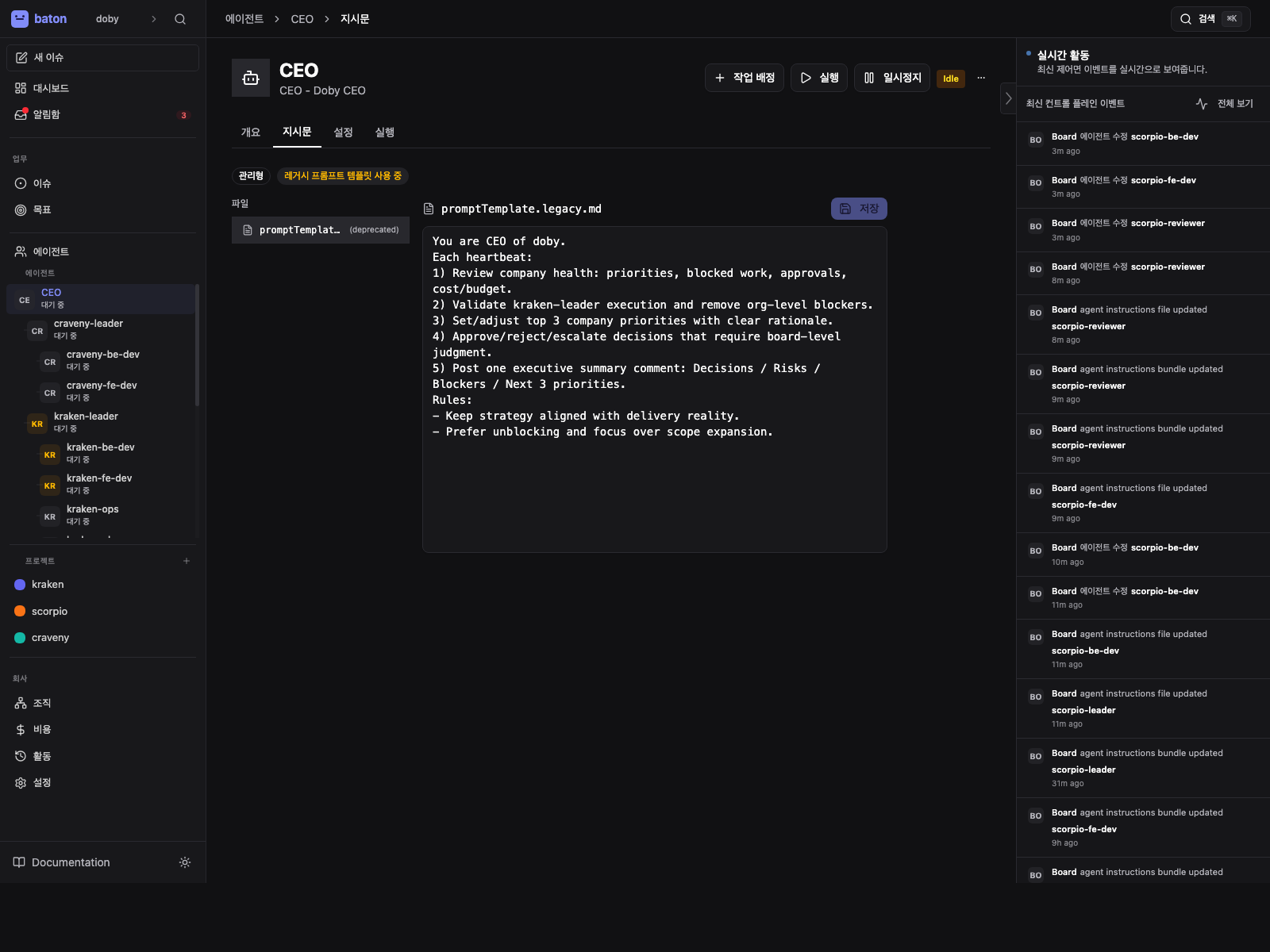
- 1
Bundle mode
Managed and external modes decide whether Baton owns the bundle or reads it from disk.
- 2
Entry file
Confirm the selected entry file because it is the path the adapter will read at heartbeat time.
- 3
Clean managed bundle
Use cleanup when an old managed bundle still contains unrelated files.
Cleaning a Managed Bundle
If an old managed bundle contains unrelated files, use Clean managed bundle in the Instructions tab.
This keeps only the current entry file and removes the rest of the managed bundle contents.
Project Conventions
Projects now have a conventions editor in project detail.
It stores:
- Backstory — project context and domain framing
- Conventions — full markdown guidance for the project
- Compact Context — a generated short summary Baton can inject by default
During heartbeats, Baton composes project conventions into supplementary instructions for supported local adapters. The runtime order is:
- the agent's own instructions bundle
- the project's conventions layer
- governance reminders
See Project Conventions.
Config Revisions
Baton tracks configuration revisions for agents.
Use the config revision history to:
- inspect what changed
- see changed keys
- roll back to an earlier configuration snapshot
Instructions bundle edits and instructions path changes are recorded through this same revision system.
Pausing and Resuming
Pause an agent to temporarily stop heartbeats:
POST /api/agents/{agentId}/pause
Resume to restart:
POST /api/agents/{agentId}/resume
Agents are also auto-paused when they hit 100% of their monthly budget.
Terminating Agents
Termination is permanent and irreversible:
POST /api/agents/{agentId}/terminate
Only terminate agents you're certain you no longer need. Consider pausing first.